





iPad Air vs iPad Pro: which one’s right for you in 2026?

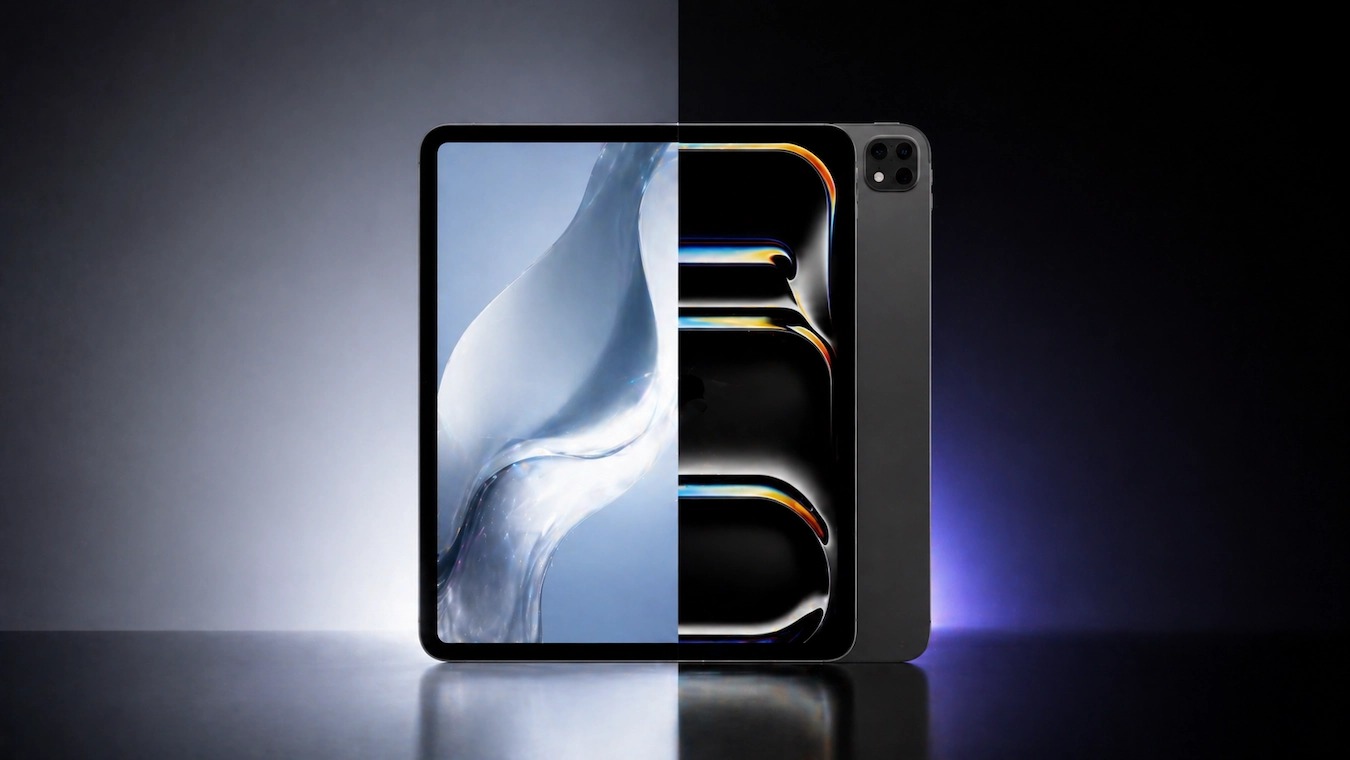
The iPad Air with M4 and the iPad Pro with M5 have more in common than sets them apart. Both come with the Apple Pencil Pro. Both come with the Magic Keyboard. Both run iPadOS 26 with Apple Intelligence. But there’s a €430 difference between the base models of the Air and the Pro. Is it worth it? This comparison tells you when the Pro is worth the extra cost and when the Air is all you need.
The fundamental difference
The iPad Air with a chip M4 is designed for advanced general use: studying, productivity, consuming premium content, casual photo and video editing, and digital drawing. The iPad Pro with the M5 is designed for creative professionals: ProRes 4K editing, 3D modelling, technical illustration and workflows where screen size and processing power determine production time.
If you don’t rely on your iPad for a living, the Air is the right choice. The Pro is for those who genuinely need what it offers and who will notice the difference on a daily basis.
Side-by-side specifications
| Feature | iPad Air 11″ M4 | iPad Pro 11″ M5 |
|---|---|---|
| Price at Macy’s | from 619€ | from 1.049€ |
| Chip | Apple M4 (9-core CPU / 10-core GPU) | Apple M5 (10-core CPU / 10-core GPU) |
| RAM | 12 GB | 16 GB (256 GB) / 12 GB (1 TB+) |
| Screen | 11-inch Liquid Retina | Tandem OLED Ultra Retina XDR 11″ |
| Resolution | 2360 x 1640 (264 ppi) | 2420 x 1668 (264 ppi) |
| Shine | 500 nits | 1,000 nits SDR / 1,600 nits HDR |
| ProMotion (120Hz) | ❌ 60Hz | ✅ 120Hz |
| True Tone | ✅ | ✅ |
| Storage | 128GB / 256GB / 512GB / 1TB | 256GB / 512GB / 1TB / 2TB |
| Connection | USB-C / Thunderbolt | Thunderbolt 5 |
| Rear camera | 12 MP wide-angle | 12 MP + LiDAR |
| Front camera | 12 MP horizontal Centre Stage | 12 MP horizontal Centre Stage |
| Wi-Fi | Wi-Fi 6E / Wi-Fi 7 (new models) | Wi-Fi 7 |
| Audio | 2 stereo speakers | 4 speakers with Spatial Audio |
| Apple Pencil Pro | ✅ Compatible | ✅ Compatible |
| Magic Keyboard | ✅ Compatible | ✅ Compatible |
| Weight | 462g | 444g |
| Thickness | 6.1 mm | 5.1 mm |
| Battery | Up to 10 hours | Up to 10 hours |
Screen: the biggest difference between the two
This is where the Pro justifies a significant portion of its price.
iPad Pro’s Tandem OLED
The iPad Pro M5 debuts a new screen Tandem OLED Two stacked OLED panels that produce twice the brightness of a standard OLED. The result: 1,000 nits of sustained brightness (SDR) and 1,600 nits peak brightness in HDR. For HDR content (Apple TV+ films, Netflix Premium, HDR photos), the visual difference is immediate.
The 'Real' Black people are truly Black (each pixel is switched off individually), rather than a dark grey as with LCD. The contrast ratio is 2,000,000:1, which is virtually infinite. Dark scenes in films look cinematic.
Liquid Retina on the iPad Air
The iPad Air uses a Liquid Retina LCD display with LED backlighting. It’s an excellent display with accurate colours, True Tone and P3 colour gamut, but LCD has physical limitations that OLED overcomes: lower contrast, less deep blacks and lower HDR brightness.
ProMotion: the other advantage of the Pro
The iPad Pro has ProMotion 120Hz: the screen refreshes up to 120 times per second. The iPad Air is fixed at 60Hz. The difference is noticeable in:
- Scrolling and navigation. Scrolling through web pages or long documents is noticeably smoother on the Pro.
- Apple Pencil. The latency between the stroke and the screen drops from 20ms (Air) to 9ms (Pro). For professional illustrators, that’s the difference between «it feels good» and «it feels like drawing on paper».
- Video at 24/30/60 fps. The Pro adjusts the refresh rate to the content to prevent judder.
Is the screen worth the extra €430?
For professional illustrators and HDR video editors, yes, absolutely. It’s one of the best displays on any portable device available in 2026.
For general users, students and casual content consumption, no. The Air’s screen is excellent and you won’t feel like you’re missing out on anything. The difference is real, but it only matters when you’re working with content that demands it.
Performance: M4 vs M5
Apple claims that the M5 is 30–40% faster than the M4. In synthetic benchmarks, the figures add up. But in real-world use:
Tasks where you won’t notice any difference
- Opening apps (now instant in Air)
- Web browsing
- Document editing (Pages, Word, Google Docs)
- Streaming (Netflix, YouTube, Apple TV+)
- Video calls (Zoom, FaceTime, Teams)
- Standard productivity apps
- Reading and annotating PDFs
- Educational apps
- Casual games
For this entire range, the 85% works exactly the same on any iPad Air or Pro.
Tasks where you will notice a difference
- 4K video editing in Final Cut Pro. Pro renders faster and maintains consistent performance throughout long projects.
- 3D apps (Procreate Dreams, Octane). The M5, with its upgraded GPU, speeds up rendering.
- Large AI models (Stable Diffusion, Apple Intelligence for heavy workloads). The Pro’s 16GB of RAM helps.
- Multitasking with lots of windows open. The Pro keeps more apps in RAM before they close.
- Professional music apps (Logic Pro for iPad). Multi-track tracks with plug-ins are easier to work with.
If your use of the iPad falls into these categories, the Pro is well worth the price. If not – and for most people it won’t – the M4 will be more than enough for the next 5–7 years.
Audio and speakers: 2 vs 4
The iPad Air has 2 stereo speakers. The iPad Pro has 4 speakers with Spatial Audio and Dolby Atmos.
You can really tell the difference when watching films or listening to music without headphones. The Pro sounds noticeably fuller, with more body in the bass and better stereo separation. The Air sounds much better than most tablets but is clearly inferior to the Pro.
Who cares: Anyone who uses the iPad as their main entertainment device without an external speaker. For everything else (with AirPods, a Bluetooth speaker or headphones), it’s irrelevant.
Size and weight: the Pro is slimmer
The iPad Pro is 5.1 mm thick and 444 g (11-inch model). The iPad Air is 6.1 mm and 462 g. The difference may seem small, but the Pro feels noticeably slimmer in the hand.
Apple achieved this with the new Tandem OLED display (thinner than LCD) and a redesigned chassis. It is the thinnest iPad ever made.
Does it matter? For a tablet you carry around all day, yes. It fits better in your bag and is lighter to hold in one hand during long reading sessions. It’s not quite enough of a reason to pay the extra for the Pro, but it is a real improvement.
Storage: the Pro starts at 256GB
The iPad Air starts at 128GB (€619). The iPad Pro starts at 256GB (1.049€).
This matters because 128GB isn’t enough if:
- Downloads videos from Netflix/Disney+ to watch them offline
- You work with video files or RAW photos
- You have a large offline music library (Apple Music, Spotify)
- You install resource-intensive professional apps (Procreate packed with brushes, LumaFusion with clips)
If you’re going to use the iPad for creative work, 256GB is the minimum you’d want. The 256GB iPad Air costs €739, which narrows the price gap with the Pro to around €310.
Which one’s right for you? — The decision guide
Buy the 11-inch iPad Air M4 if:
- You are student who takes notes with the Apple Pencil and consumes content
- Do you use your iPad to overall productivity: documents, email, web browsing, video calls
- Beams casual photo editing (Lightroom Mobile, quick edits)
- Editas short videos for social media (YouTube Shorts, Reels, TikTok)
- You read, draw as a hobby, and play games
- Your budget matters from €619 compared to €1,049 for the Pro
- It’s your first tablet and you’re not sure how much you’ll use it
Buy the 13-inch iPad Air M4 if:
- You need larger screen for taking handwritten notes in class
- You read a lot of technical content (academic books, papers, comics, manga)
- Do you want to effortless multitasking with two apps side by side
- You're going to working with the Magic Keyboard and you need more screen space
Buy the 11-inch or 13-inch iPad Pro M5 if:
- You are creative professional (illustrator, designer, video editor)
- You work with HDR video Or do you need the Tandem OLED screen?
- You use professional apps (Final Cut Pro, Logic Pro, Procreate Dreams, DaVinci Resolve for iPad)
- You need sustained performance when processing large files (renders, exports)
- Do you care about the lower latency of the Apple Pencil (9 ms vs 20 ms)
- Your iPad is your main work tool and you use it for 4+ hours a day
The 85% rule
The truth that Apple’s marketing won’t tell you: Anyone buying an iPad Pro would be just as well served with an iPad Air (model 85%). The Pro is designed for professionals with specific workflows. If you’re not sure which one you need, go for the Air. Anyone who needs the Pro knows it because they’ve come up against the Air’s limitations in a specific workflow.
The advantage of shopping in Tenerife
The Canary Islands charge 7% IGIC compared with 21% mainland VAT. For expensive goods, the difference is substantial:
| Model | Apple Store ES | Macy's Tenerife | Savings |
|---|---|---|---|
| iPad Air 11″ M4 128GB Wi-Fi | 729€ | 619€ | ~110€ |
| iPad Air 13″ M4 128GB Wi-Fi + Cellular | 1.179€ | 999€ | ~180€ |
| iPad Pro 11″ M5 256GB Wi-Fi | 1.249€ | 1.049€ | ~200€ |
| 13-inch iPad Pro M5 256GB Wi-Fi | 1.589€ | 1.379€ | ~210€ |
The iPad Air 11″ 128GB It easily falls within the €430 per person duty-free allowance if you’re coming from outside the EU. The 13-inch iPad Pro requires the relationship strategy (spread the value across two allowances) to avoid the excess charge.
For British tourists, the value for money is even better: a 13-inch iPad Pro M5 with 256GB of storage costs £1,499 in the UK, including VAT (€1,762). If you buy it in Tenerife for €1,379, you save €380.
Frequently Asked Questions
Is the iPad Air M4 fast enough for Procreate?
Yes, absolutely. Procreate runs smoothly with hundreds of layers and custom brushes on the M4 with 12GB of RAM. The Pro is faster for complex renders, but the difference isn’t noticeable during normal drawing sessions.
Is the iPad Air worth buying as a replacement for a laptop?
For light use and entertainment, yes. For serious office productivity (writing long documents, working on complex spreadsheets, programming), no. iPadOS is still a tablet operating system, not a desktop one. If you need to replace a laptop, consider a MacBook Air M4 (€969 in Tenerife) rather than an iPad Pro.
Which one has the best battery life?
The same: up to 10 hours under normal use. The Pro’s OLED screen uses slightly less power in dark scenes, but also uses more when reaching 1,000+ nits. A practical draw.
Do I need an Apple Pencil Pro, or is the 1st or 2nd generation one enough?
Both the iPad Air M4 and the iPad Pro M5 are compatible with Apple Pencil Pro (€140). Previous generations of the Pencil are not compatible with these models. If you’re upgrading from an older iPad and have an older Pencil, it won’t work.
Is the Cellular model (with a SIM) worth it?
Only if you’re going to use the tablet whilst on the move without reliable Wi-Fi access. If you work from home, the office or cafés with Wi-Fi, the extra ~€150 for the cellular version isn’t worth it. For digital nomads or field journalists, however, it is well worth it.
How long will an iPad Air M4 last before it becomes outdated?
Apple usually provides 6–7 years of iPadOS updates for its models. The iPad Air M4 should receive updates until around 2031. Professional apps may require more processing power sooner (around 2028–2029), but for general use, the Air will easily last the whole decade.
Can I use my iPad Air at home with an external monitor?
Yes, via USB-C. iPadOS 26 supports multitasking on an external display with optimised apps. It doesn’t replace the macOS experience, but it does allow you to use the iPad as a secondary desktop computer.
Verdict
iPad Air 11″ M4 — 9/10 The tablet we recommend to 85%, who asked us. Excellent display, an M4 chip that’s more than capable of handling everything a general user will do, and a mature iPad ecosystem. At €619 in Tenerife with the IGIC discount, it’s Apple’s best value-for-money purchase.
iPad Pro 11″ M5 — 9/10 (for 15%, who needs it) The best tablet available in 2026. An unbeatable Tandem OLED display, an M5 chip with laptop-level performance, and an ultra-slim design. But the extra €430 is only justified if your professional work makes the most of its unique features. For everyone else, the Air is the right choice.
iPad Air M4 (11″ and 13″) and iPad Pro M5 (11″ and 13″) are available at Macys Digital, in the Parque Santiago 3 shopping centre (Playa de las Américas, Tenerife). Save up to €210 compared to mainland prices with the IGIC tax code 7%. For more comparisons and guides on tablets, see our Guide to the best value-for-money tablets in 2026.