





Cameras for vlogging: which one to choose depending on the type of video you record

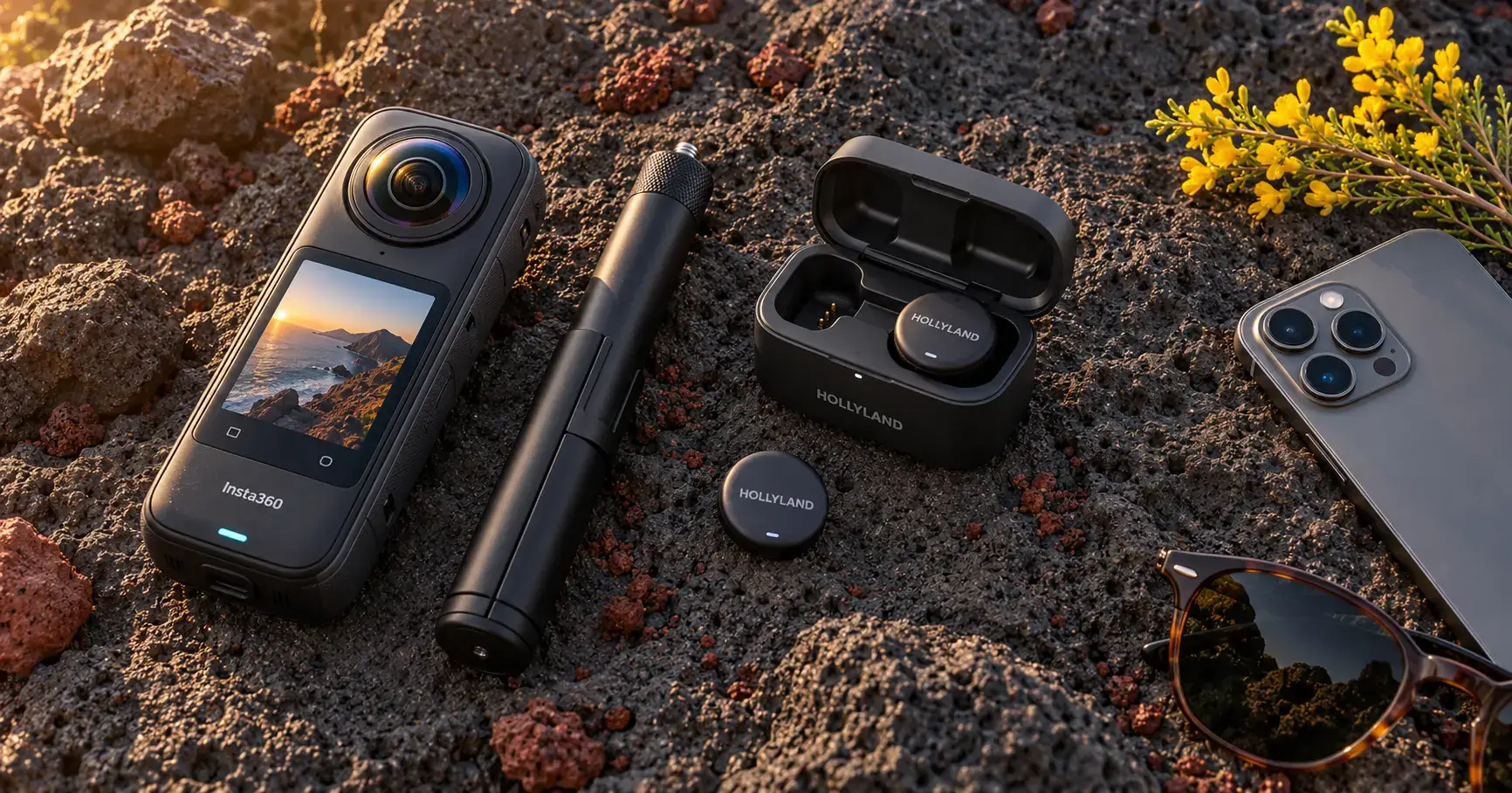
A vlogging camera needs to do three things well: stabilise the image whilst you’re walking, let you see what you’re filming, and capture your voice without background noise. Which model is right for you depends on how you film. For a day out, for example, the Insta360 X6 records up to 140 minutes in 8K at 30 fps on a single battery charge, according to Insta360. Here’s which camera and kit to choose for each type of vlog, along with their prices in Tenerife.
How we put this guide together
- What we have compared: The cameras and vlogging accessories available in our shop in Playa de las Américas as at 8 October 2026. The models most frequently featured in other guides, such as the DJI Osmo Pocket, the Sony ZV or the Canon PowerShot G7 X, are not in our catalogue and so we do not recommend them here.
- What criteria are used: how you film (whilst walking, speaking to the camera or using your mobile), stabilisation, audio, battery life and durability, and the price of the complete kit in Tenerife.
- Based on what data: Official technical specifications from Insta360 and Hollyland, and the product details on our website for the rest. We have not measured these ourselves. Figures and prices as at October 2026.
- Business relationship: We sell everything we recommend. That’s why we also tell you what we don’t stock and where each model falls short.
| If your vlog is… | What sort of camera? | We have it available for you | Add |
|---|---|---|---|
| Out and about, out for a walk, with no one there to film you | 360 with an invisible pole | Insta360 X6 (€629) | Invisible stick, 114 cm (€39) |
| Travelling on a tight budget | Previous-generation 360 | Insta360 One RS 1-inch Leica Edition (€300) | Invisible stick, 114 cm (€39) |
| Speaking to the camera for YouTube | Mobile phone on a tripod | Your mobile phone | Wireless microphone, from €44.99 |
| For networks, in a vertical orientation | Mobile | Your mobile phone | Micro + stick, €83.99 |
| Water, the beach or sport | 360 waterproof | Insta360 X6 | That’s it: it can withstand 20 metres underwater without a case |
What features should a vlogging camera have?
A vlogging camera needs image stabilisation, a screen you can see whilst filming yourself, a wide-angle lens so you and your background both fit in the frame, and good audio. Beyond that, the battery life and water resistance determine whether it’s suitable for a day out or just for filming at home.
- Stabilisation. Without it, a video recorded whilst walking is so shaky that it’s hard to watch. Insta360 cameras do this using software (FlowState) and keep the horizon level even if you turn the camera.
- Screen in view. If you can’t see the frame, you’ll end up filming just half your face. That’s why many vlogging cameras have a screen that can be swivelled towards you.
- Wide angle. With your arm outstretched, there isn’t enough distance for a close-up. A 360° camera gets round this: it films in all directions and you choose the frame afterwards.
- Audio. The voice is the most noticeable aspect of a vlog, and the microphone built into the camera or mobile phone isn’t always good enough. We’ve dedicated a separate section to this.
- Battery and resistance. They come in handy when you’re filming whilst travelling, far from a power socket.
To capture your travels: a 360-degree camera and an invisible selfie stick
To film a trip without anyone behind the camera, the most convenient option is a 360-degree camera with an invisible mount: the camera films in all directions and the mount doesn’t appear in the video, so you get third-person or drone-like views, according to Insta360. You walk, and when you edit, you decide which way the image faces.
The Insta360 X6 (€629) is the travel vlogging camera we have available for you. According to the Insta360 technical specifications:
- It records in 360° at 8K and 50 fps using two 1/1.1-inch Sony sensors.
- It has a single-lens mode, in case you don’t want to edit in 360: flat video in 5K at 60 fps with an ultra-wide angle of 170°, also in portrait mode for Reels and TikTok.
- Its 2,600 mAh battery provides up to 140 minutes of 8K recording at 30 fps in endurance mode, and charges from 0 to 80 % in 24 minutes using a 30 W fast charger.
- You can submerge it in water to a depth of 20 metres without the case (IP68).
- It weighs about 200 grams.

Without the pole, the camera appears to be held in the hand and the effect is lost. The 114 cm invisible pole (€39) measures around 26 cm when folded, comes with legs so it can be used as a tripod, and has a standard 1/4″ thread – the same as the X6. For higher shots, there’s the 300 cm (125,99 €).
Are you looking for something a bit cheaper? The Insta360 One RS 1-inch Leica Edition (€300) records in 360° up to 6K using two 1-inch sensors developed in collaboration with Leica, and its touchscreen is reversible. Before choosing it, bear in mind its two limitations: the battery life is around 60–84 minutes, and it’s only resistant to light rain and splashes (IPX3), so don’t take it into the pool or the sea.
If you’re torn between a 360 and a traditional action camera, we’ve compared them in Insta360 or GoPro.
To record yourself speaking to the camera on YouTube
For videos where you speak whilst looking at the camera, the most highly recommended options are compact cameras with a front-facing screen, such as the Sony ZV or the Canon G7 X, and pocket-sized cameras with image stabilisation, such as the DJI Osmo Pocket. These are the models most frequently mentioned in other guides and in the responses from ChatGPT and Perplexity. We do not sell them.
In this type of video, the shot is usually static, with the subject sitting or standing in front of the camera, and the sound carries more weight than the image. With the footage we have available, there are two ways to edit it:
- Your mobile on a tripod and a wireless microphone clipped to your clothes. It’s the cheapest option, and the microphone has the biggest impact on the result.
- The Insta360 X6 in single-lens mode. It records in standard mode (5K at 60 fps), and with its 170° angle, you can film yourself from close up.
If, as well as video, you want a camera for taking photos, you’ll find options in our guide to compact camera offering good value for money.
Is your mobile phone enough for making vlogs?
Yes, to start with, you don’t need a camera for vlogging: your mobile’s enough, especially if your videos are for social media. Rather than getting a new camera, add a wireless microphone and a selfie stick or tripod: the basic kit with a mic and selfie stick costs €83.99.
First, check the port on your mobile, as the microphone receiver plugs into that. iPhones from the 15 onwards and most Android phones use USB-C; earlier iPhones use Lightning.
A dedicated camera starts to make a difference when:
- Do you want to film in 360 or with a selfie stick that isn’t visible;
- are you going to put it in the water or carry it in your rucksack whilst it gets knocked about;
- You’re recording for hours on end and don’t want to use up the mobile battery you need for your map or boarding pass.
If you’re thinking of changing your mobile and want one with a good camera, check out our guide to mobile phone value for money We compare the cameras on each model.
The microphone is more important than the resolution
If you’re only going to buy one thing for your vlogs, make it a wireless microphone: whether it’s wind, traffic or echoes, the microphone on your camera or mobile picks up the noise almost as loudly as your voice. The wireless microphone clips onto your clothes, close to your mouth, and the receiver plugs into your device.

Which one to choose depends on how many tracks you’re recording:
- Just you. The Boya BY-V10 (€44.99), with a USB-C connector, a range of 50 metres and up to 9 hours’ use according to its specifications. It’s the easiest one to start with.
- Two people, either as a couple or in an interview. The Hollyland Lark M2 Duo (€119 for the USB-C version, €109.99 for the Lightning version) comes with two 9-gram transmitters featuring ambient noise cancellation (ENC). Hollyland states up to 10 hours per transmitter and around 30 hours in total with the charging case in the mobile version.
- A group. The Buoy BY-V4U (€119.99) includes four microphones, with a range of up to 10 metres and a battery life of 6 hours, according to the product specifications.
All three connect via USB-C or Lightning and are designed primarily for use with mobile phones. With the Insta360 X6, you can record without an external microphone: its 360-degree microphones are wind-resistant and automatically reduce wind noise, according to Insta360.
Filming in Tenerife: wind, sun, water and a battery
To film on the island, make sure you have four things ready: a windscreen for the audio, a screen to protect against the sun, a camera that can handle the water and sand, and enough battery power to last the whole day.
Wind. If you’re filming on the coast or in a windy, high-altitude area, a microphone with ambient noise cancellation, such as the Lark M2, or the X6’s wind-reducing microphones will save your audio. If you’re using your mobile’s microphone, stand with your back to the wind.
Sun. When the sun’s in your eyes, it’s hard to see any screen. Find some shade to frame your shot before you start recording; with a 360, you don’t need to frame the shot.
Water and sand. The X6 can withstand depths of up to 20 metres underwater without a case and operates between −20 °C and 40 °C, according to Insta360. The One RS is splash-proof only. After a day at the beach, remove any sand from the lens before storing it.
Battery. For a day out, take a spare battery or a power bank with you. With the X6 and a 30 W fast charger, you can go from 0 to 80 % in 24 minutes.
If your vlogs feature motorbikes, we have a specific guide on motorbike camera with mounts and audio for the helmet.
How much does the complete kit cost in Tenerife?
A kit for filming with your mobile phone costs from €83.99 at Macy’s, and a complete travel kit featuring the Insta360 X6 costs €668. These prices include IGIC and are valid as of 8 October 2026:
| Kit | What’s in it | Price at Macy’s |
|---|---|---|
| The basics with your mobile phone | BY-V10 buoy + 114 cm invisible pole | 83,99 € |
| For two voices using your mobile phone | Hollyland Lark M2 Duo USB-C + 114 cm invisible pole | 158 € |
| Travelling on a budget | Insta360 One RS 1-inch Leica Edition + 114 cm invisible selfie stick | 339 € |
| Travelling | Insta360 X6 + 114 cm invisible selfie stick | 668 € |
The Insta360 Store sells the X6 for €699 in Spain (accessed on 8 October 2026). In our shop, it’s priced at €629 – €70 less. Prices change frequently, both in our shop and on the official website.
If you’re on holiday and we have it in stock, you can take it home that very same day and try it out on the island. If you live here, we deliver throughout the Canary Islands. The rest of our models and accessories can be found in our cameras.
Frequently Asked Questions
What sort of microSD card do I need to record vlogs in 4K or 8K?
For the Insta360 X6, a UHS-I V30 microSD card or higher, which is what Insta360 specifies in its technical specifications. The camera also comes with 64 GB of internal storage, of which 47 GB is available for recording. The One RS supports UHS-I U3 cards up to 1 TB.
Can a wireless microphone be used with both a mobile phone and a camera?
Not always: it depends on the device. Hollyland sells the Lark M2 in both a camera version and a mobile version, with different battery life: around 40 hours with the camera case and around 30 hours with the mobile case. The ones we have in stock, with USB-C or Lightning, plug into your mobile. If you’d like to use it with a camera as well, please ask us before you buy.
Does the invisible selfie stick work with any camera?
It can be fitted to Insta360 cameras and many action cameras, as it uses the standard 1/4″ thread. However, the effect of the stick disappearing from the video only works with 360-degree cameras, which remove it when stitching together the images from their two lenses. With a single-lens camera, it looks like a normal selfie stick.
Do you need a computer to edit videos from a 360-degree camera?
No. Using the Insta360 app on your mobile, you can reframe the 360° video and export a standard video for social media. On the X6, Insta360 has added AI-powered automatic editing, with features such as AI Director and Auto Edit 2.0. If you want to carry out in-depth colour correction or edit long videos, you can transfer the files to your computer.
Quick selection:
- If you’re filming whilst walking on a trip, use a 360-degree camera with an invisible stick.
- If you’re recording yourself speaking, use your mobile on a tripod with a wireless microphone.
- If you’re starting out on a shoestring, get the microphone before the camera.
Are you still unsure which camera to choose for vlogging? Message us on WhatsApp and we’ll let you know which kit we have in stock and its current price.